
Level Design Menu
An extension of Unreal Engine’s Play in Editor workflow, designed to centralise testing tools and reduce friction when working with Rogue Point’s systems.
- Role: Programmer
- Discipline: Code (Editor)
- Engine: Unreal

Rogue Point was difficult to playtest in editor using Unreal’s default workflow. The Modular Randomization System requires levels to be initialised with a specific set of variables across multiple systems. If any of these are misconfigured, it can result in crashes or subtle bugs.
As development progressed, designers needed a way to quickly iterate and test specific Level Layouts, as there were many possible ones for each map. My initial system allowed designers to do this by overriding variables directly on Manager classes and key blueprints such as Game State. While functional, this approach quickly became fragile.
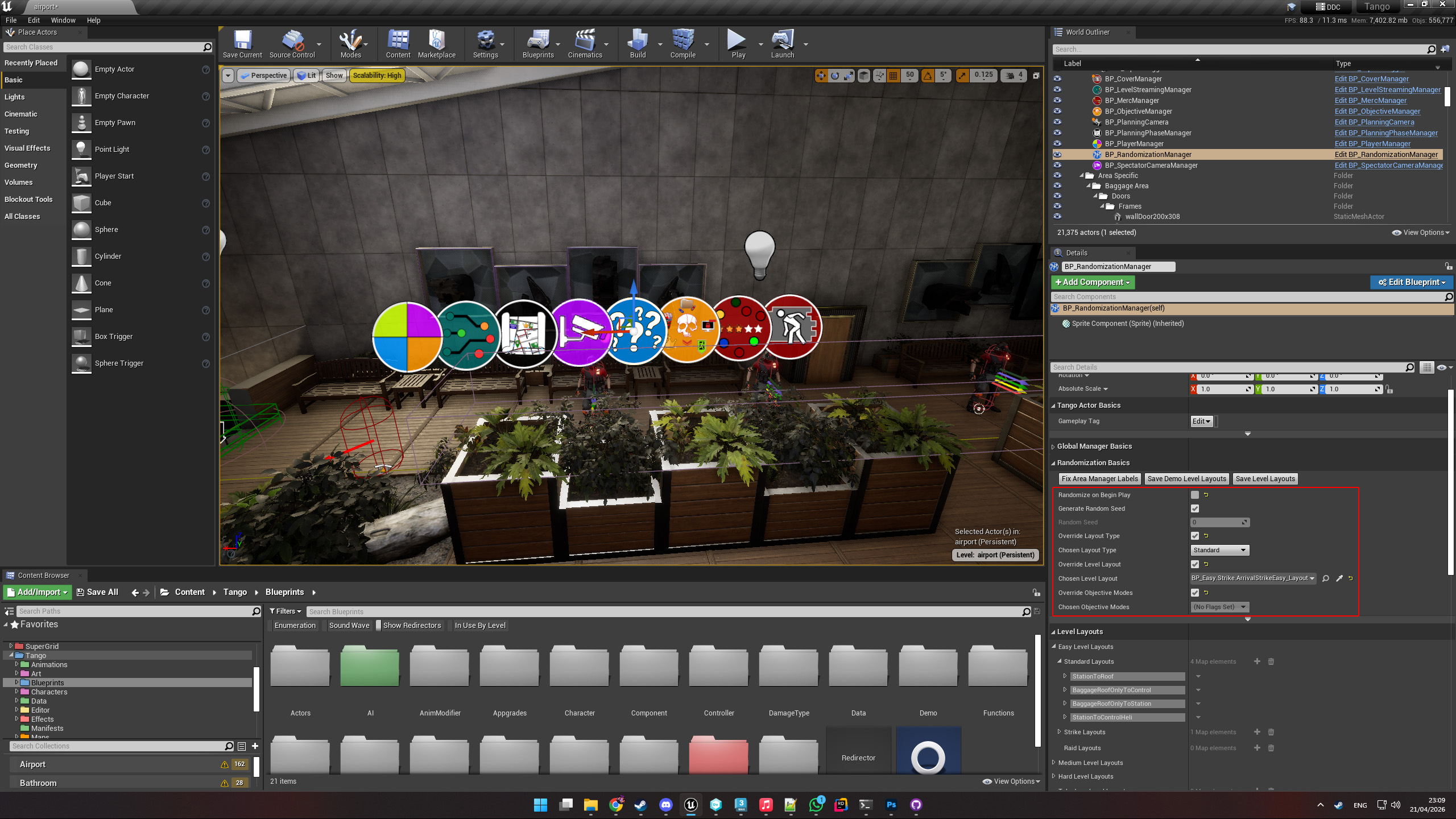
Drawbacks of Overrides
These overrides introduced several problems:
- Designers would frequently forget which values had been overridden, leading to confusing bugs
- Small mistakes could cause cascading issues across systems, or silent misconfigurations
- Overrides could accidentally make their way into cooked builds
- The variables required for testing changed over time, making the workflow inconsistent
Envrionment artists were also affected. Testing their work required running through the full gameplay flow, often spawning far from the area they were working on and dealing with gameplay systems they didn’t need, or making it hard for them to set up local test maps without crashing.
PIE Menu
To address this, I built an extension to the existing Play in Editor menu. This centralised all testing configuration into a single, familiar location, allowing developers to quickly set up and launch specific scenarios without modifying blueprints or overriding level actors.
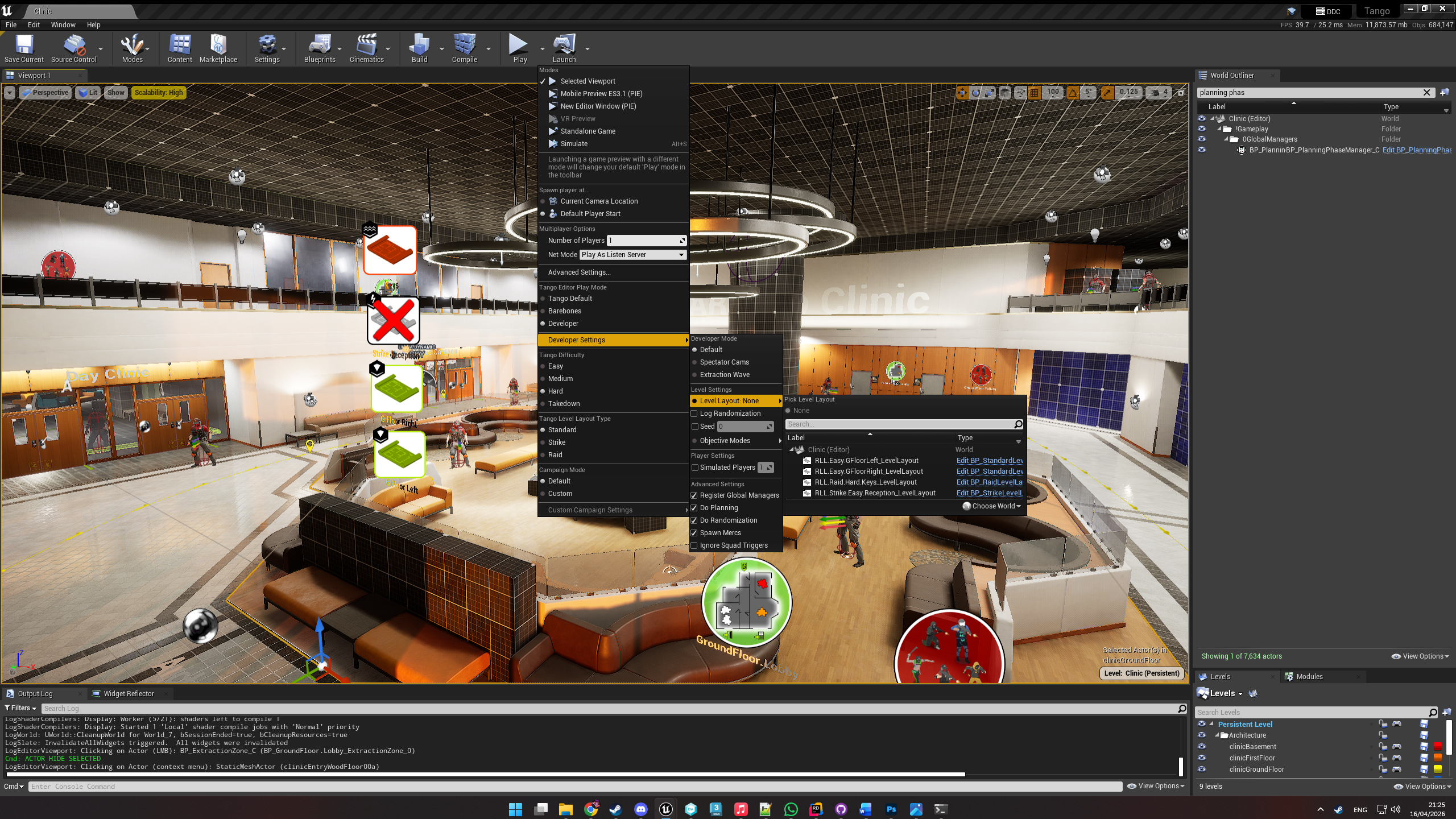
Extra Features
The menu also introduced several targeted tools to support common testing scenarios. Notably, an artist-friendly “barebones” mode bypasses all gameplay systems entirely, spawning the player directly into the level at the editor camera location. This allows quick iteration without needing to configure layouts or run through the full game flow.
Additional tools included:
- Spectator Cams Mode: Instantly transitions into spectator mode for testing camera setups
- Extraction Wave Mode: Skips to the end-of-level extraction sequence for rapid testing
- Simulated Players: Allows designers to fool gameplay systems into behaving as if multiple players are present
- Log Randomization: Outputs gameplay data to a CSV row for level balance analysis
This tool significantly accelerated testing and reduced friction across the team, making it easier for both designers and artists to work with Rogue Point’s systems.
Here is an example of a randomization CSV output:
| Timestamp | Random Seed | Player Count | Soldier | Lookout | Berserker | Heavy | Sniper | Squad Leaders | Total Merx | Phone | Intel | Hostage | HVT | Bomb | VIP | Interception | Laptop | Hunt | Total Objectives |
|---|---|---|---|---|---|---|---|---|---|---|---|---|---|---|---|---|---|---|---|
| 2025.09.08-18.55.06 | 48115480 | 1 | 34 | 8 | 5 | 4 | 0 | 3 | 54 | 6 | 5 | 1 | 0 | 0 | 0 | 0 | 2 | 0 | 3 |
| 2025.09.08-20.52.37 | 21060822 | 1 | 24 | 6 | 6 | 3 | 0 | 3 | 42 | 6 | 5 | 0 | 0 | 1 | 0 | 0 | 2 | 0 | 3 |