
Viz Component
A reusable editor visualisation component that allows designers to quickly add debug shapes to actors, making complex properties easier to understand and configure.
- Role: Programmer
- Discipline: Code (Editor)
- Engine: Unreal

Some actor classes in Rogue Point were difficult for designers to set up without clear visual feedback in the editor. Unreal’s built-in tools for this are fairly limited, so I built a custom solution in C++, that I nicknamed the Viz Comp.
This started as an exploration into how Unreal handles editor visualisation (such as the guide cones on Spot Lights), and grew into a reusable component that designers could attach to any actor.
The Viz Comp provides a set of generic visualisation primitives: points, lines, boxes, grids, and spheres. Designers can populate these with their own data, and the component will draw them automatically when the actor is selected in the editor.
UCLASS(ClassGroup=(Visualization), meta=(BlueprintSpawnableComponent, DisplayName = "Generic Visualizer Component"))
class TANGO_API UTangoGenericVizComponent : public UActorComponent
{
  GENERATED_BODY()

public:
  UTangoGenericVizComponent();

  /**
  * Adds a visualization Point to this component.
  *  @param  InPoint        Definition for the Point to draw.
  */
  UFUNCTION(BlueprintCallable, Category = "Generic Viz Basics")
  void AddPoint(FVizPoint InPoint);

  /**
  * Adds a visualization Line to this component.
  *  @param  InLine        Definition for the Line to draw.
  */
  UFUNCTION(BlueprintCallable, Category = "Generic Viz Basics")
  void AddLine(FVizLine InLine);

  /**
  * Adds a visualization Box to this component.
  *  @param  InBox        Definition for the Box to draw.
  */
  UFUNCTION(BlueprintCallable, Category = "Generic Viz Basics")
  void AddBox(FVizBox InBox);

  /**
  * Adds a visualization Grid to this component.
  *  @param  InGrid        Definition for the Grid to draw.
  */
  UFUNCTION(BlueprintCallable, Category = "Generic Viz Basics")
  void AddGrid(FVizGrid InGrid);

  /**
  * Adds a visualization Sphere to this component.
  *  @param  InSphere        Definition for the Sphere to draw.
  */
  UFUNCTION(BlueprintCallable, Category = "Generic Viz Basics")
  void AddSphere(FVizSphere InSphere);

private:
  /** Definitions of Points to draw. */
  UPROPERTY(EditInstanceOnly, BlueprintGetter = GetPoints, Category = "Generic Viz Basics")
  TArray<FVizPoint> Points;

  /** Definitions of Lines to draw. */
  UPROPERTY(EditInstanceOnly, BlueprintGetter = GetLines, Category = "Generic Viz Basics")
  TArray<FVizLine> Lines;

  /** Definitions of Boxes to draw. */
  UPROPERTY(EditInstanceOnly, BlueprintGetter = GetBoxes, Category = "Generic Viz Basics")
  TArray<FVizBox> Boxes;

  /** Definitions of Boxes to draw. */
  UPROPERTY(EditInstanceOnly, BlueprintGetter = GetGrids, Category = "Generic Viz Basics")
  TArray<FVizGrid> Grids;

  /** Definitions of Spheres to draw. */
  UPROPERTY(EditInstanceOnly, BlueprintGetter = GetSpheres, Category = "Generic Viz Basics")
  TArray<FVizSphere> Spheres;

};
Each shape can be assigned a colour manually for clarity, or left unset to cycle through a range of rainbow colours automatically.
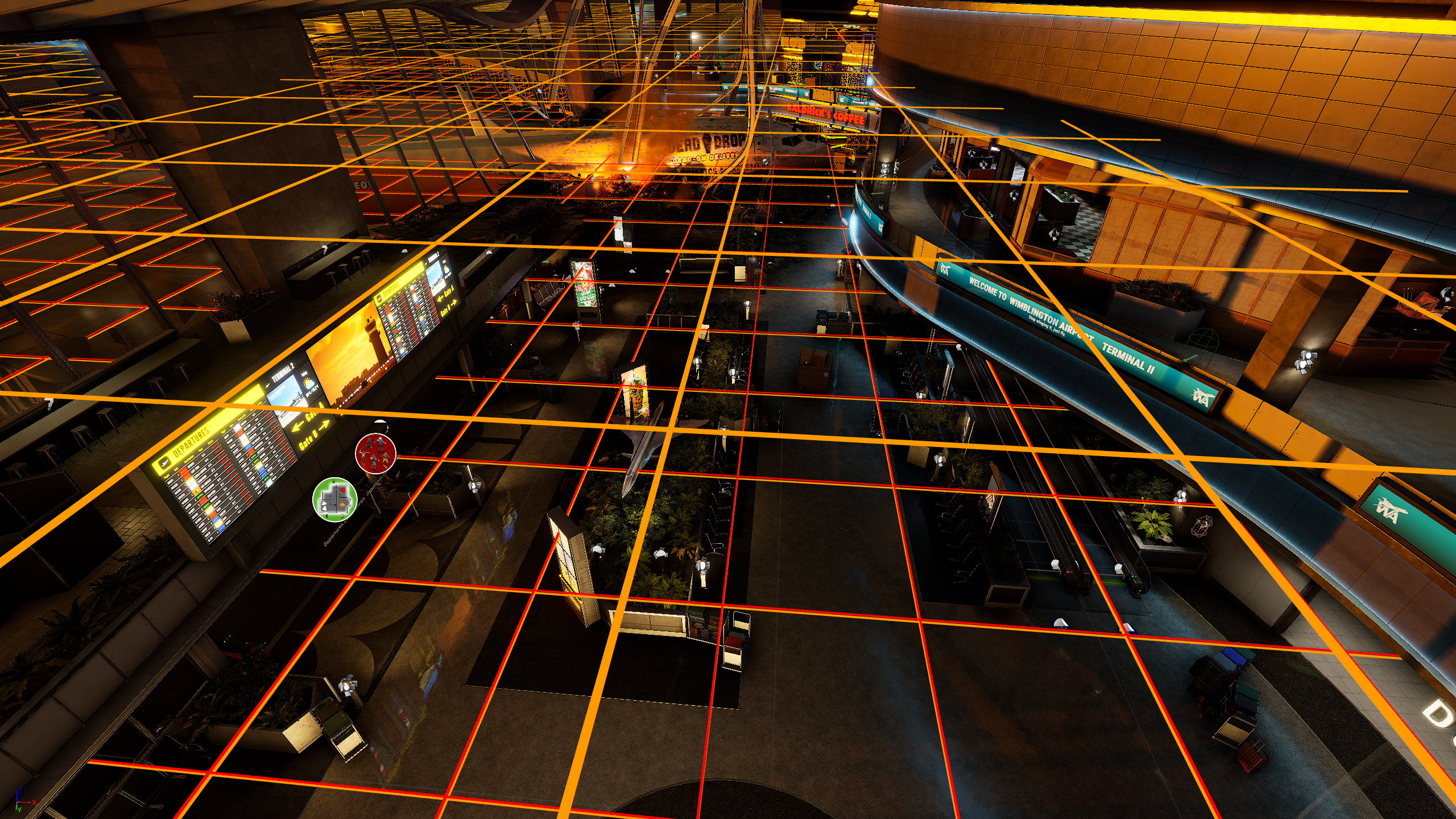
This made it much easier to understand and debug complex setups at a glance. Some examples include:
- Visualising links between spawners by drawing lines between them
- Highlighting squad triggers with boxes to show where AI can be activated for a squad
- Showing Planning Camera coverage using a grid overlay
- Representing constrained spectator camera cones
- Displaying ranges for various AI-related systems
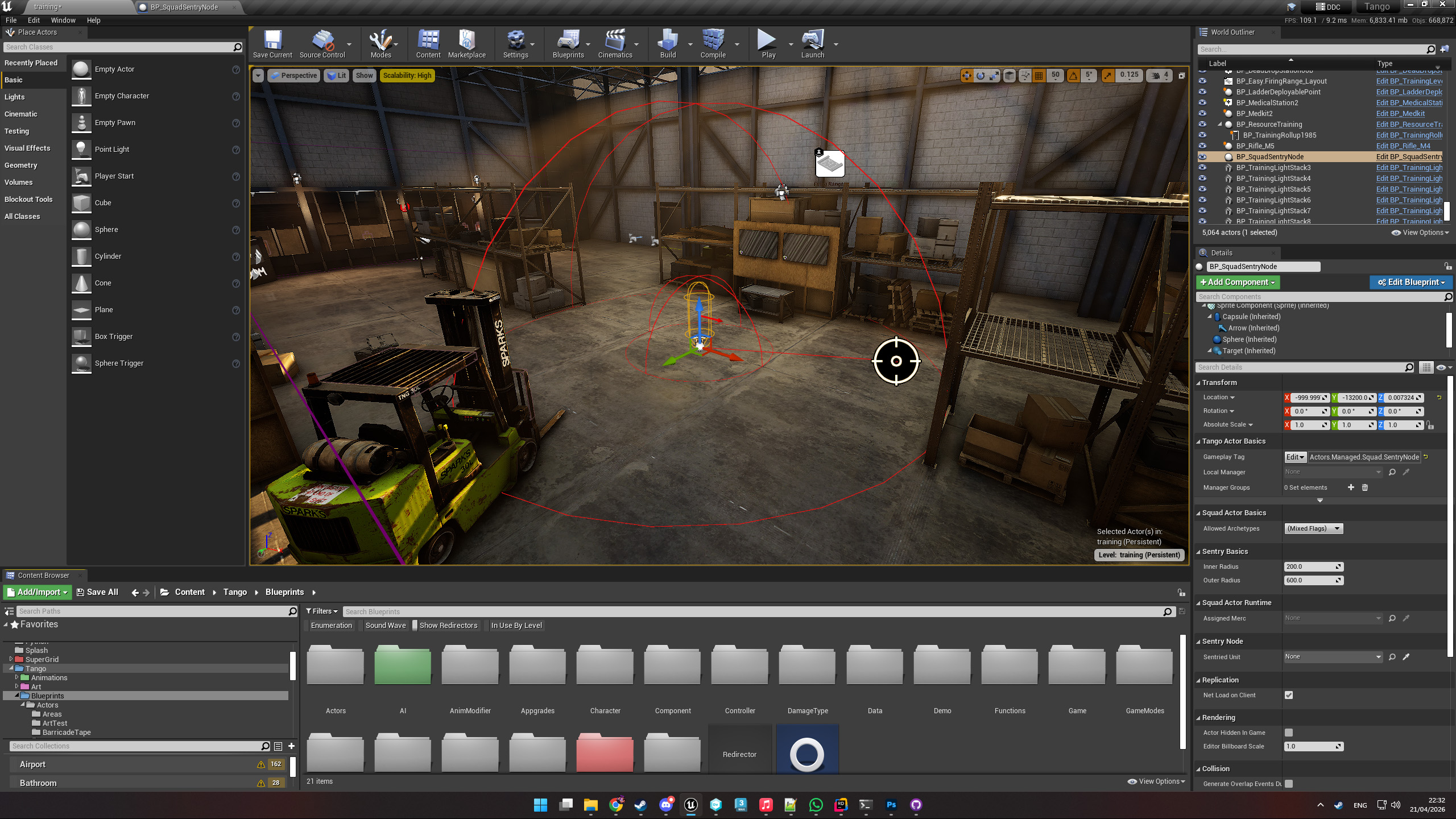
This tool significantly improved iteration speed and reduced setup errors by making otherwise invisible data immediately visible in the editor.